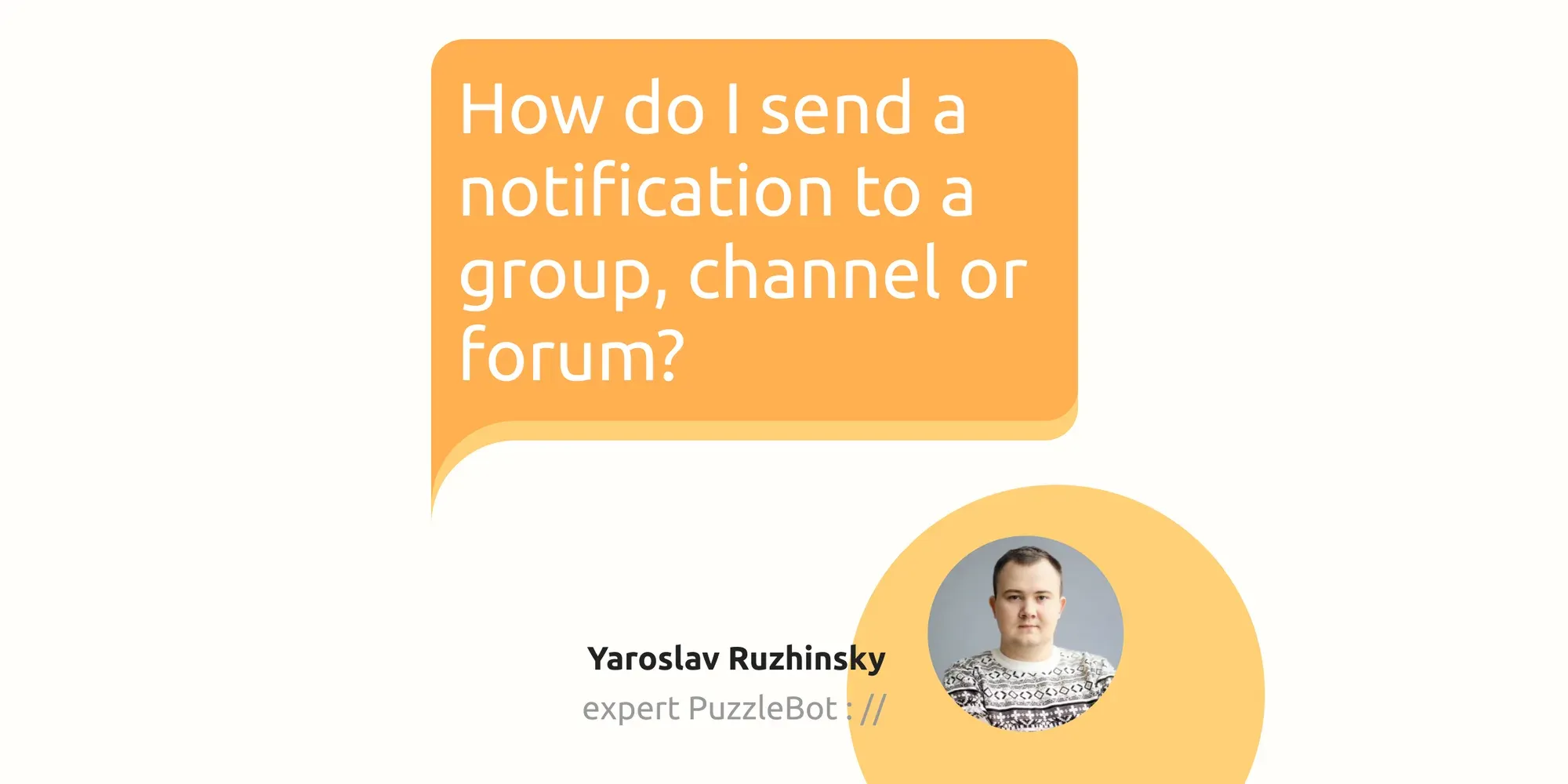
We are launching a new #Tips section, in which PuzzleBot :// experts will answer your questions in detail.
Let’s look at the first question: “How to send notifications to groups, channels and forums?” — a popular function for sales departments, support departments and simply projects with large teams
Our expert Yaroslav Ruzhinsky told us how to do this in 3 steps:
Step one - connect a group, channel or forum
I will not dwell on this in detail, there is an article for this in the Knowledge Base: https://help.puzzlebot.top/article?r=4&a=9
Step two - prepare the commands
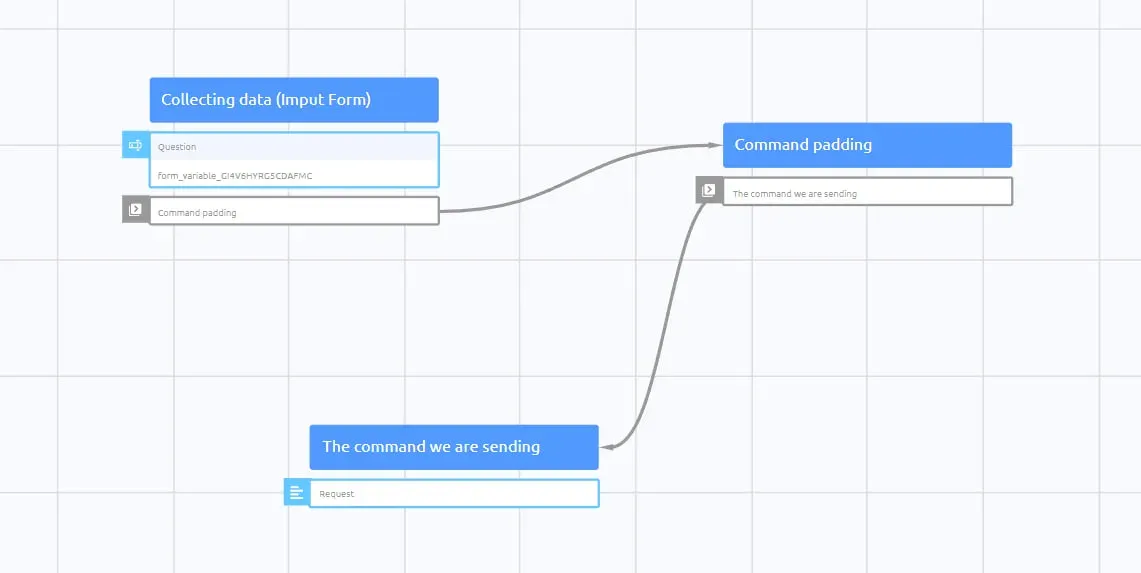
We create 3 commands:
Collecting data - a command with an input form into which the user will send information, for example: I want to sign up for a class on March 20 at 19:00
The command we are sending - it will be sent as a notification to the resource
Command padding - will be sent immediately after the response to the input form in the command Collect data and use the send action The command that we send
Step three - setting up commands
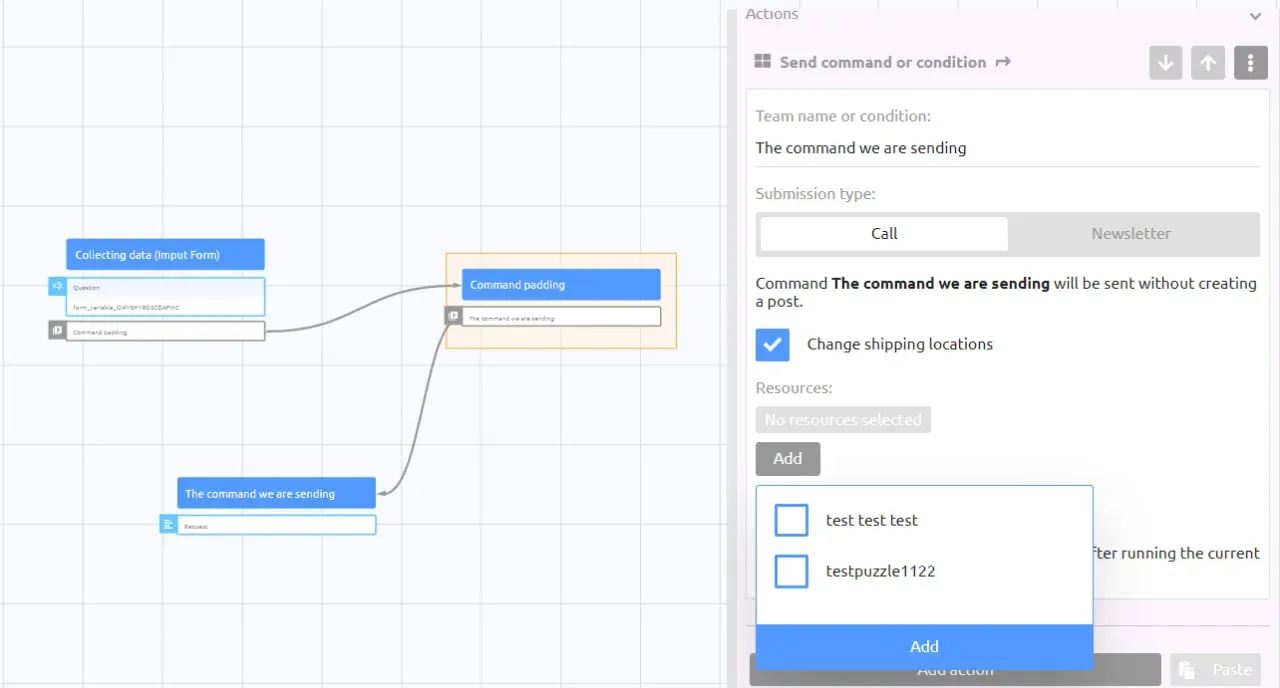
To the Collect Data command , add an Input Forms block with the Sending Message type . And to the same command we add the action Send command or condition, in the command field we enter Command padding. Don't forget to copy the Input Form variable and you can close the command.
In the Command we are sending, add a Text block and insert the Input Form variable and close the team command.
It’s the turn of the Laying Team, which will send the response to the input form to the group, channel or forum. Add the action Send command or condition, enter in the command field The command that we are sending, enable the Change shipping location setting and select your resource. We close the command.
We publish the changes and check them in action!
Also, there is another way to send notifications, this was discussed in the video:
Do you want experts to sort out your question? Ask it in the comments to this post and the most interesting ones will be included in the analysis.