Our expert Vladislav Serebertsev told us how to set up working hours and the bot’s reaction if the user writes outside of working hours.
Step 1 - Create Notifications
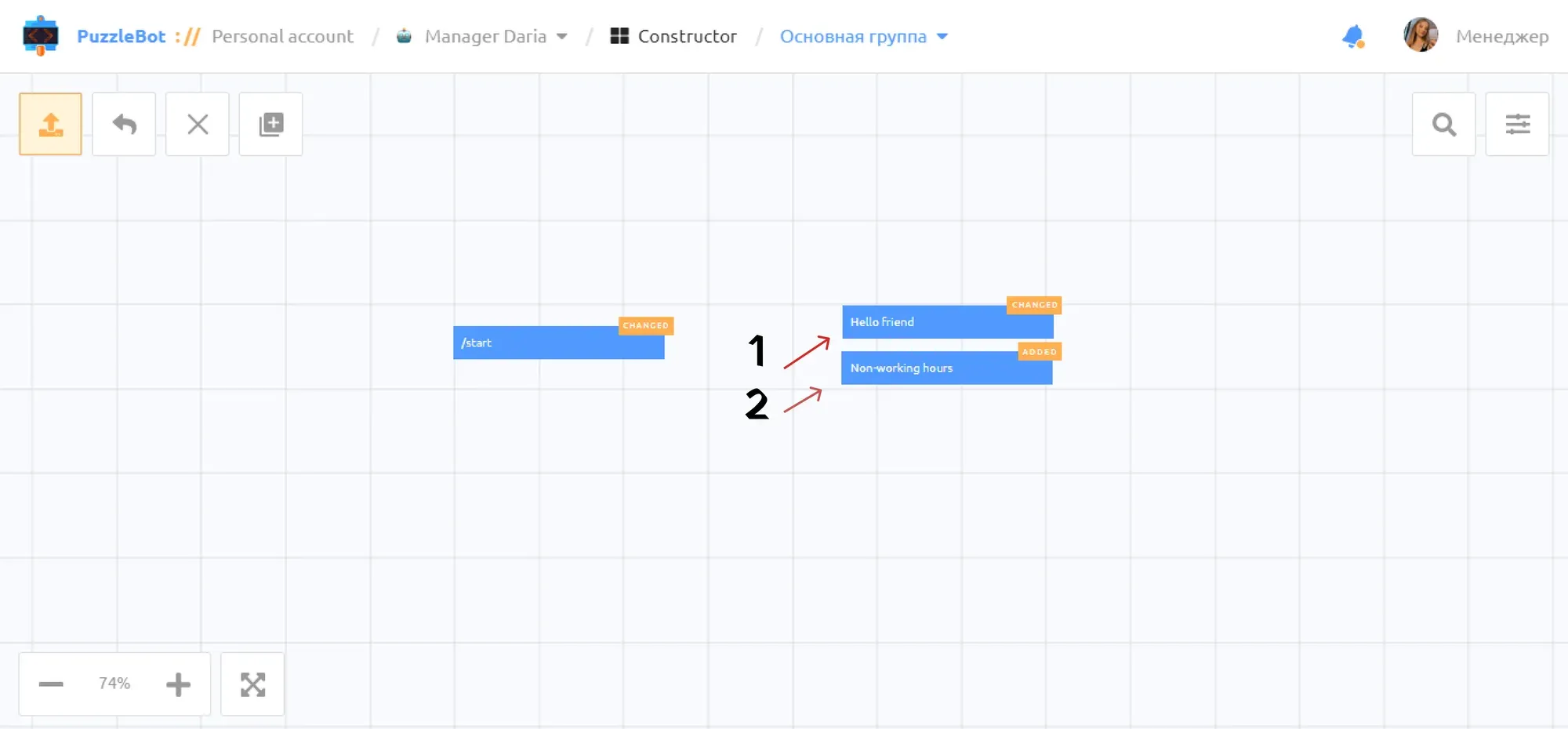
Open the Constructor tab.
Create a command Hello friend, it will be sent to the user if the bot is running at this time.
We create a second command Non-working hours, it will be sent to the user if the bot is not working at this time.
For clarity, I recommend adding a text block with the corresponding text to each command.
Next, I will talk about two ways to limit the work of teams.
Method 1 - Setting up a condition
This method is suitable if the funnel is entered through only one command or condition.
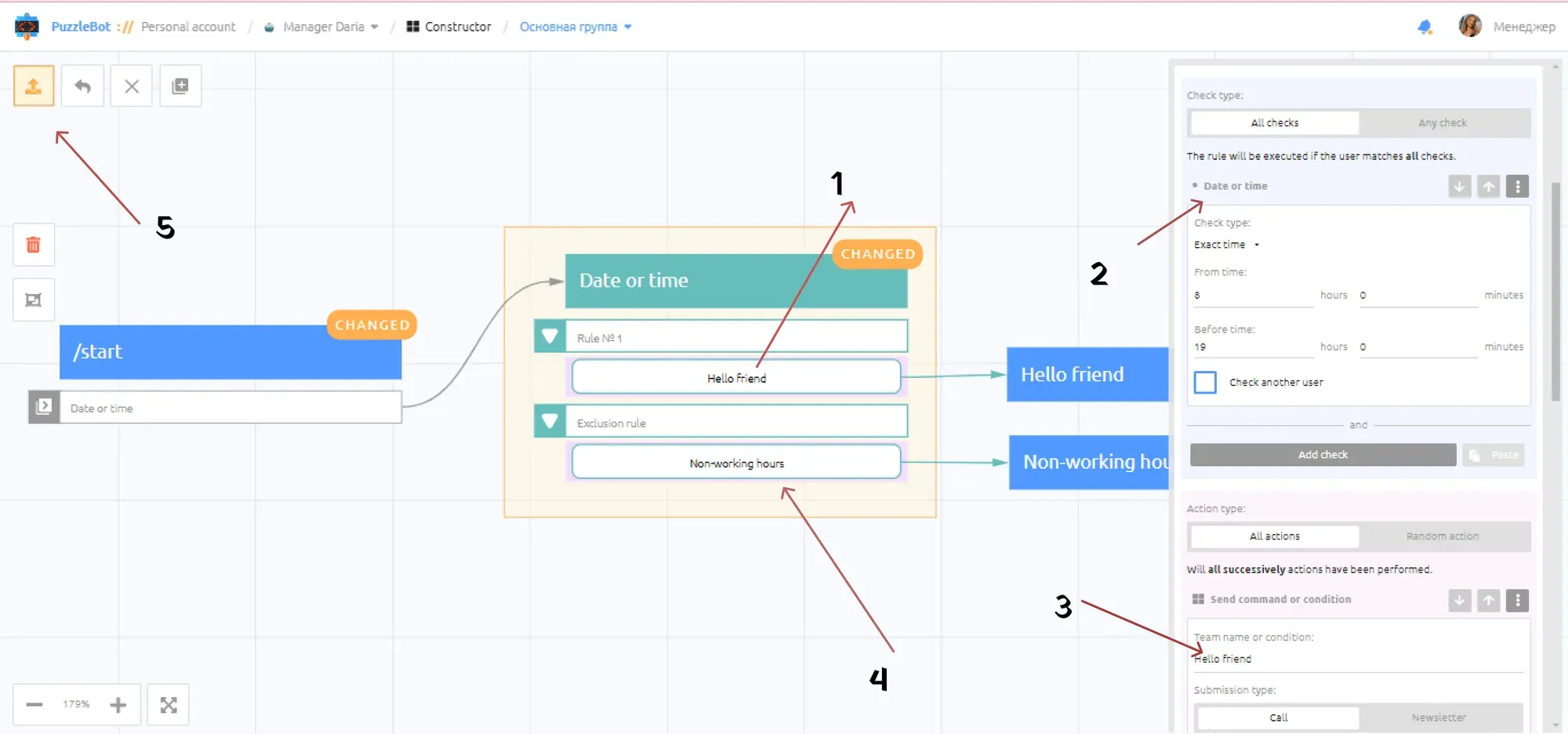
Let's create a condition and add a rule.
In checking the conditions, select Date or time, enter the team’s working hours.
In the same rule, add the action Send command and specify the command Hello friend.
In a separate exclusion rule, select the action Send command and specify the command Non-working hours.
We are publishing the changes.
If the user writes at the time specified in the condition, the command Hello Friend will be sent, and if the user writes at a different time, the exclusion rule will work.
Method 2 - Setting up a command group
This option is suitable for cases where a time check needs to be carried out before calling each command in a group of commands.
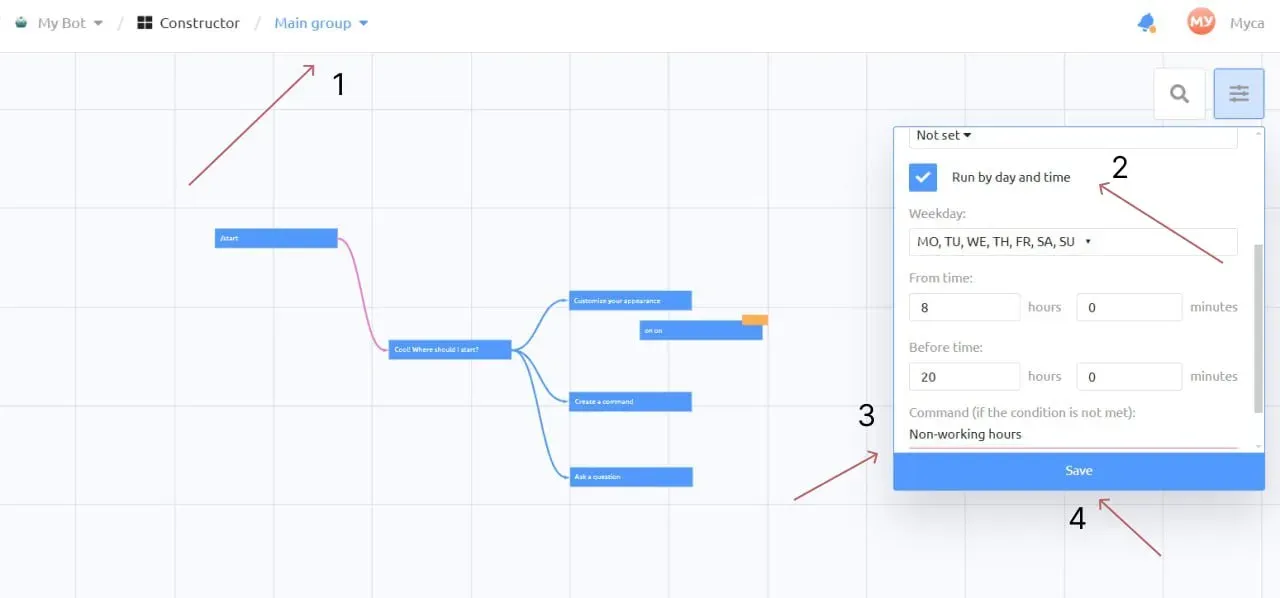
We create a command group Test group and transfer to it those commands that should be sent only during working hours. To transfer commands, you need to select them (while holding down the Shift key) and select the desired group of commands in the window that appears.
In the command group settings, select Launch by day and time, enter the working hours of our bot.
In the Command field (if the condition is not met), enter the name of the command Non-working hours.
Click the Save button.
Now, when calling any command in this group of commands during non-working hours, the bot will send the user the command After Hours.
Important! In the first and second methods, the time is checked according to the time zone of the bot owner, not the user. Telegram does not allow you to find out the time zone of the bot user.
Now your bot will work strictly according to a schedule, where a flexible configuration system will allow you to quickly change the operating time.
Want to ask an expert a question? Write it in the comments under the last post in our channel, the most interesting ones will be included in the analysis.