Our expert Yaroslav Ruzhinsky told us how to make reminders in the bot.
With this function, we can remind the user about an unfinished order, a missed discount, or simply hurry up in making a decision.
Step 1 - Create a new scenario
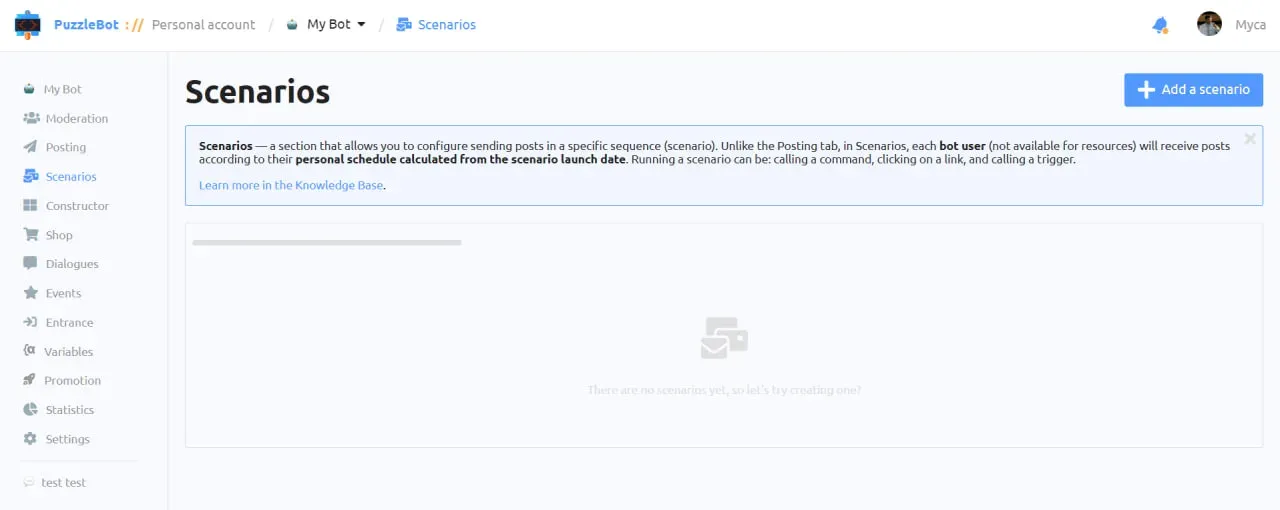
1. Open the Scenario tab .
2. Add a scenario.
3. Open.
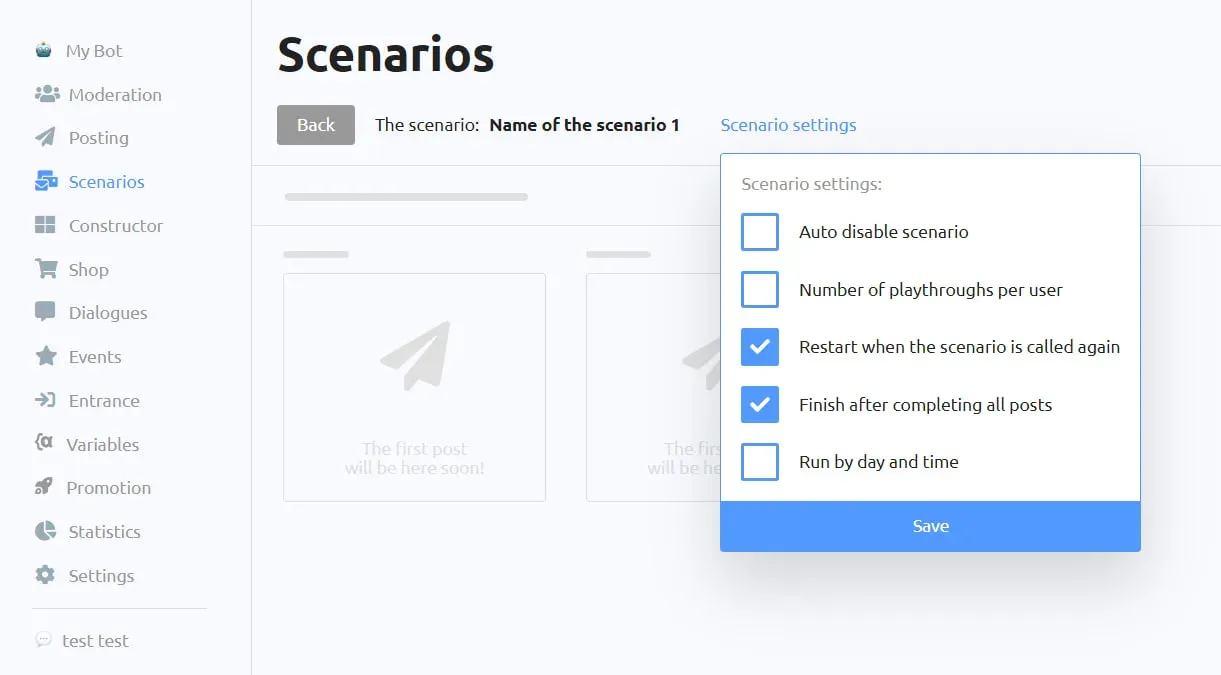
In the scenario settings, check that the appropriate boxes are checked:
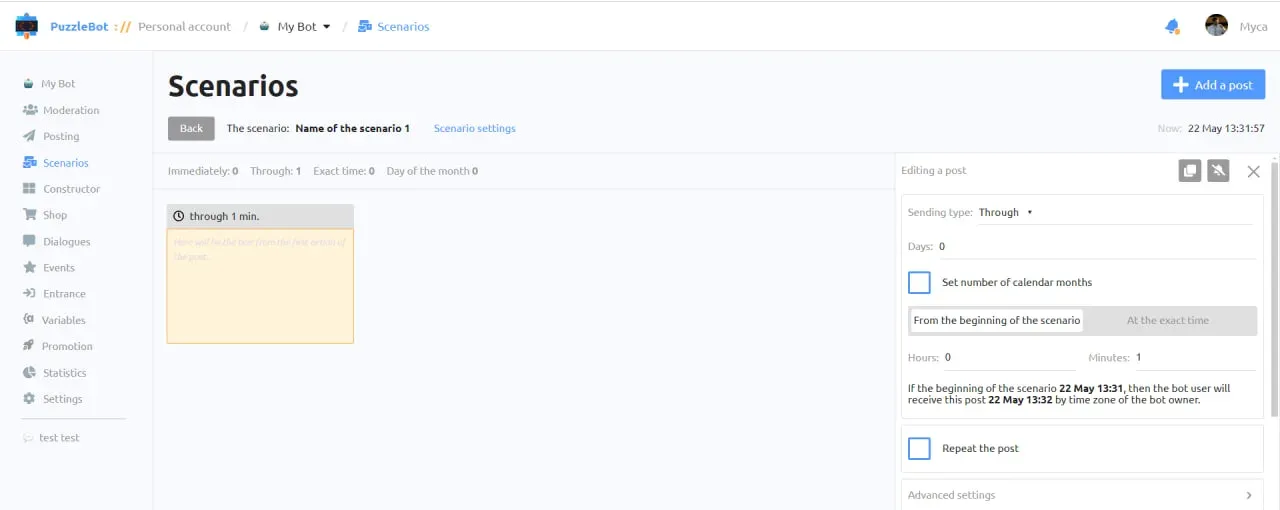
4. Create a new post.
5. Select Through, thus adjusting how long after the start of the script the first post will arrive and specify the time.
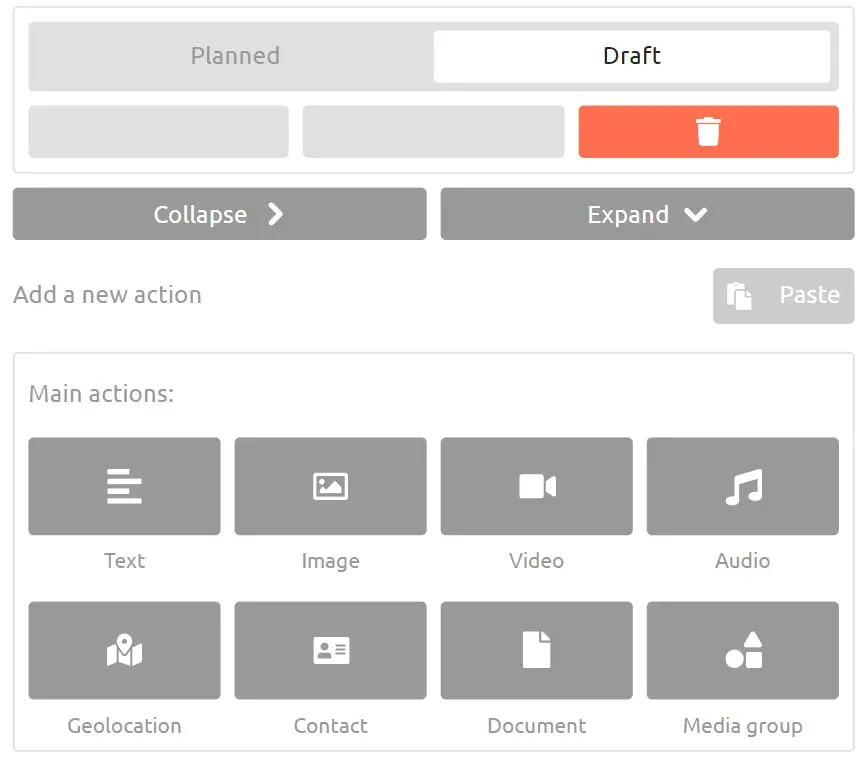
6. Add a new Text block.
7. Enter our reminder text.
8. Click the Planned button.
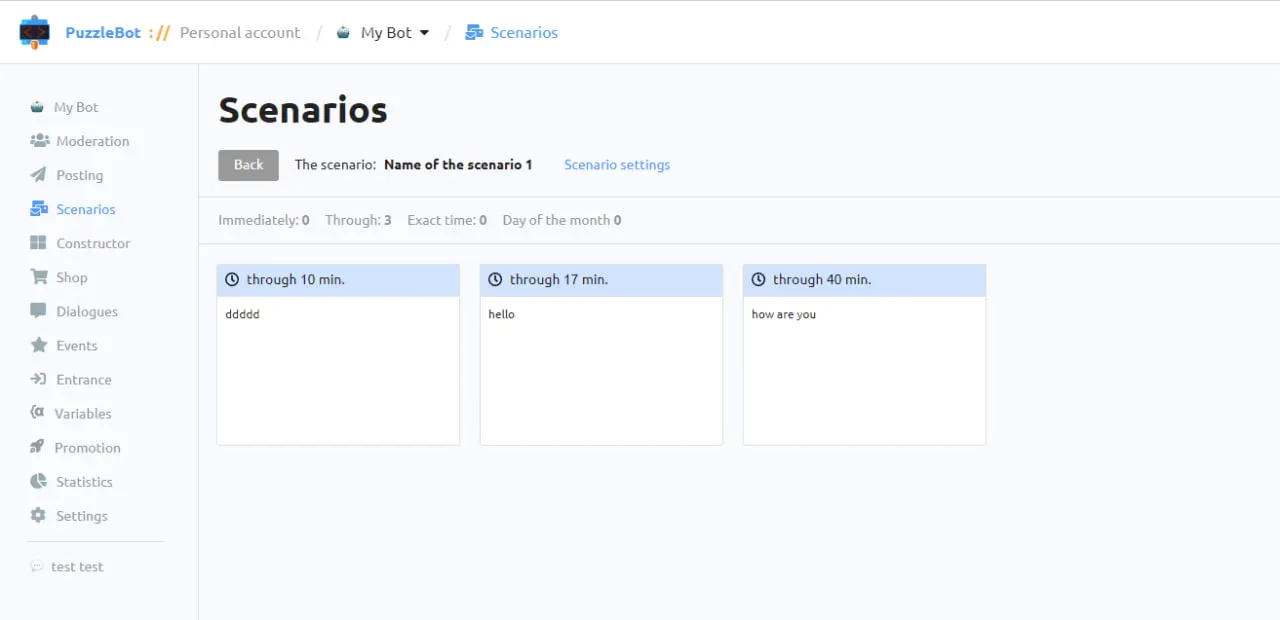
By analogy, we create several more posts, but with a different time.
Step 2 - Activate the reminder in the team
We have 2 commands - one in which we must activate a reminder, and the second command, the one in which the user goes after our target action.
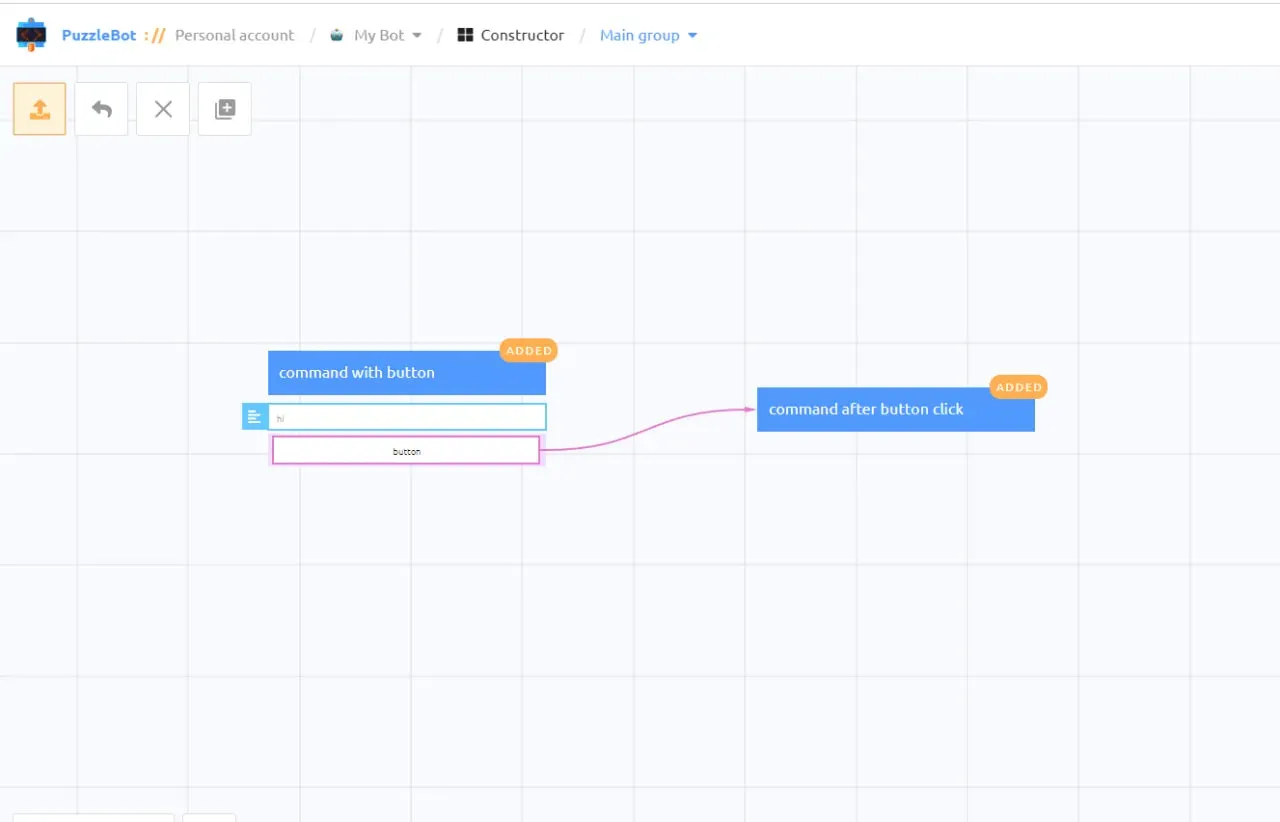
Let's activate the script in the first command:
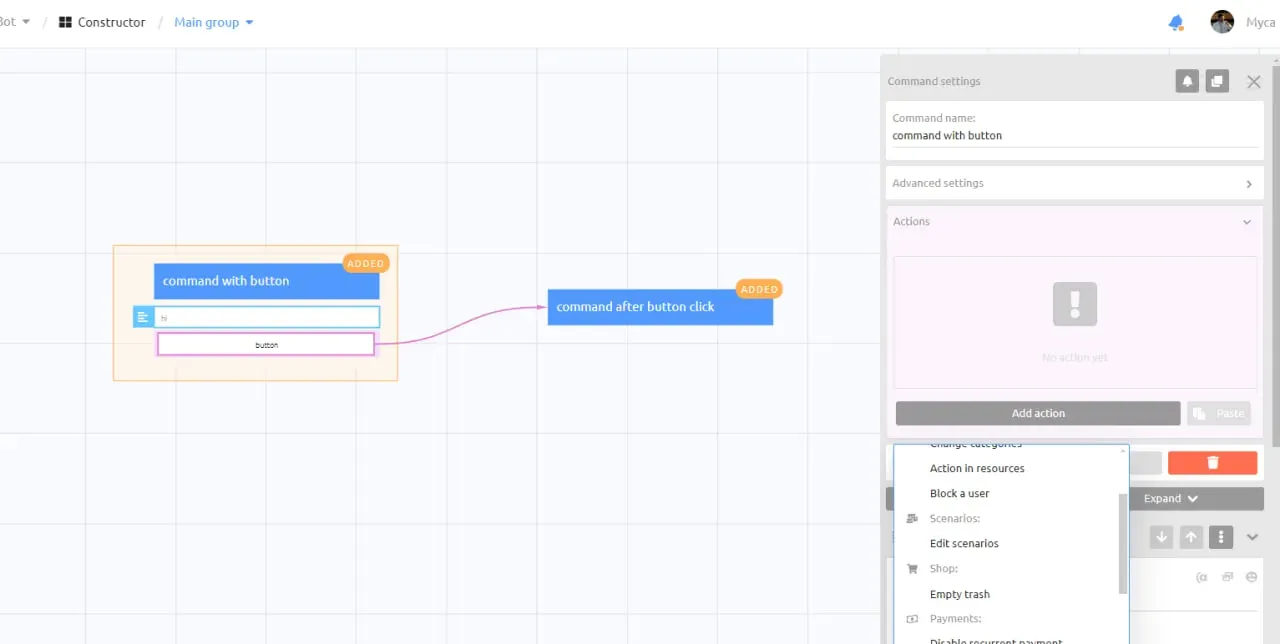
1. Select the desired command.
2. Open Actions tab.
3. Add a new Action.
4. Action → Edit scenario.
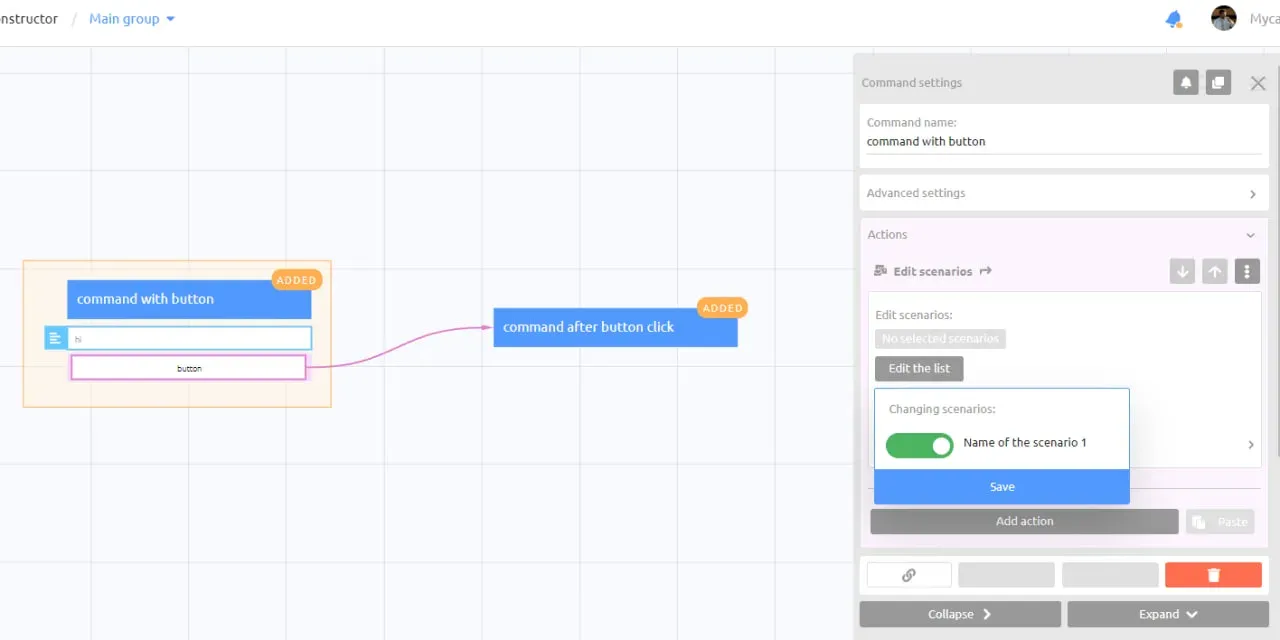
5. Click Edit the list.
6. Select the desired scenario and activate it. Move the slider to the right so that it turns green.
7. Click Save.
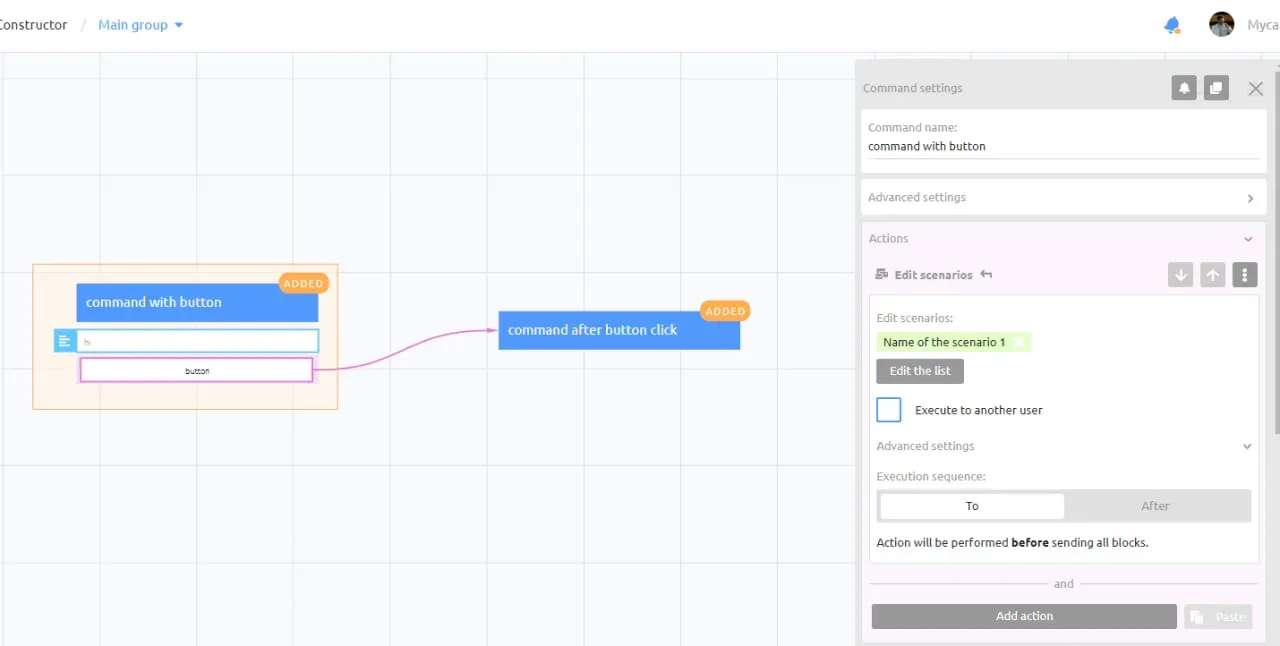
8. Open the Advanced settings for our action.
9. Select the TO setting, this is a very important point without which all the built logic will be broken
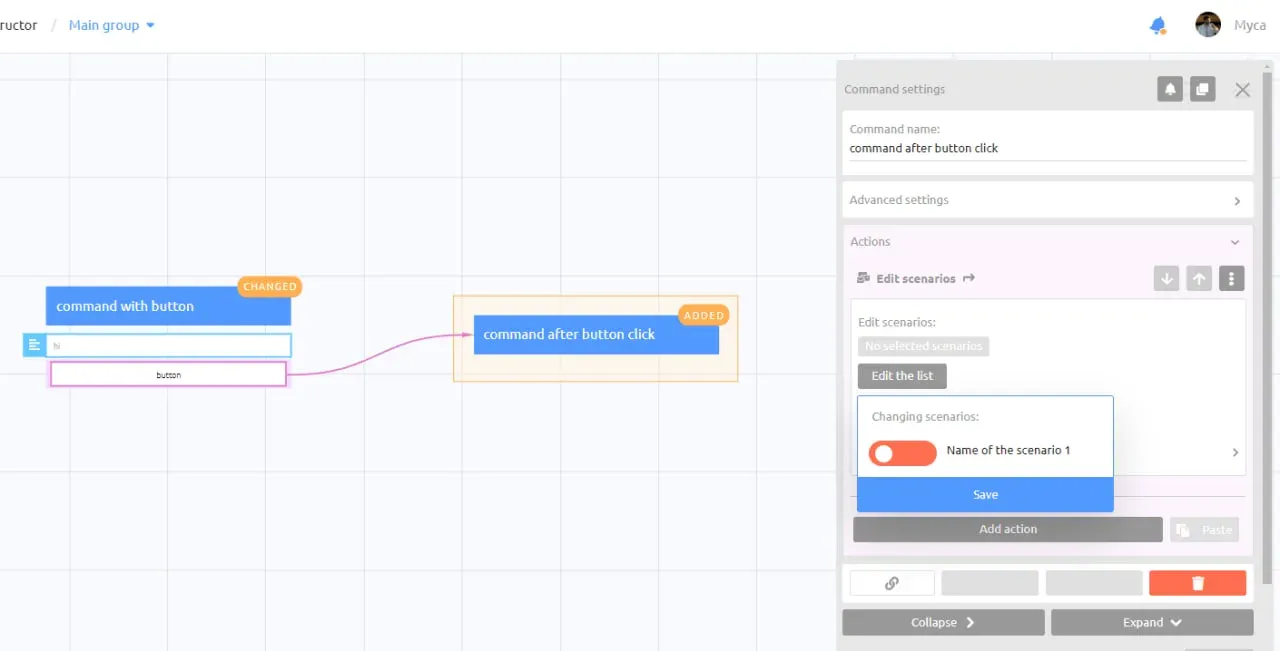
10. In the second command, we do, by analogy, TURN OFF the Scenario with the obligatory additional setting To.
If the user performed the target action, for example, clicked on a button before the post appears, then the bot will not send this post and all subsequent ones.
Great, so we have set up a target action reminder for bot users!
Want to ask an expert a question? Write it in the comments under the last post in our channel , the most interesting ones will be included in the analysis.