This function allows you to correctly load and use the “circle” in the chatbot without unnecessary frames in its original form.
Our expert Anthony Pavlov told us how easy this can be done.
Step one - upload the circle to the bot
To do this, you need to be the owner or administrator of the bot in your puzzlebot personal account, otherwise you will receive a message that the bot does not know such a command.
Write /cp to the bot and select “Upload file”.
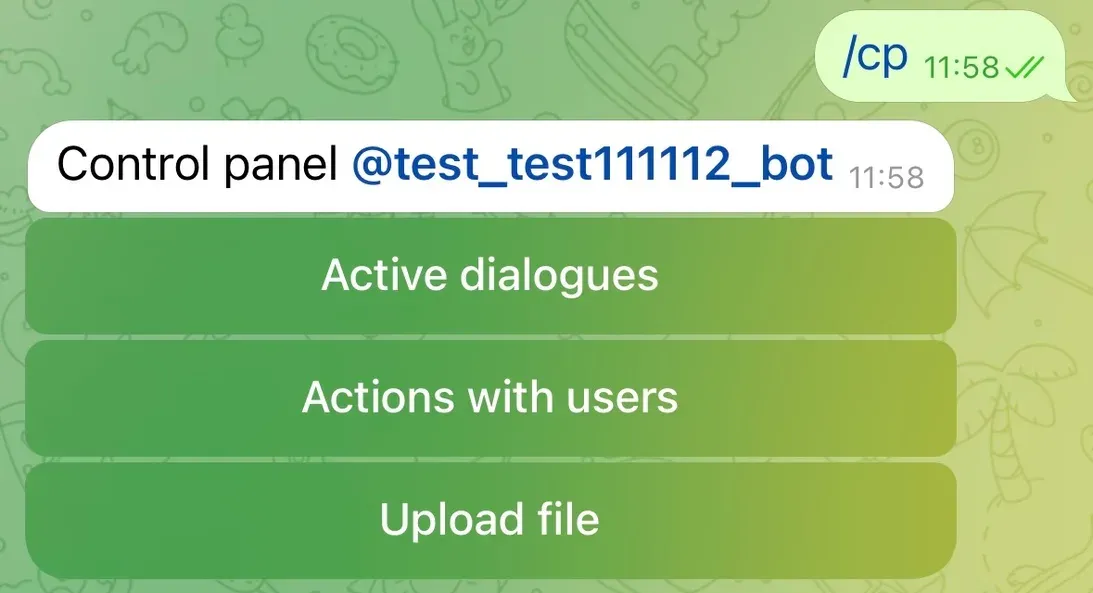
After clicking on “Upload file” we must send the “circle” to the bot, after which we will receive the ID that we will need later.
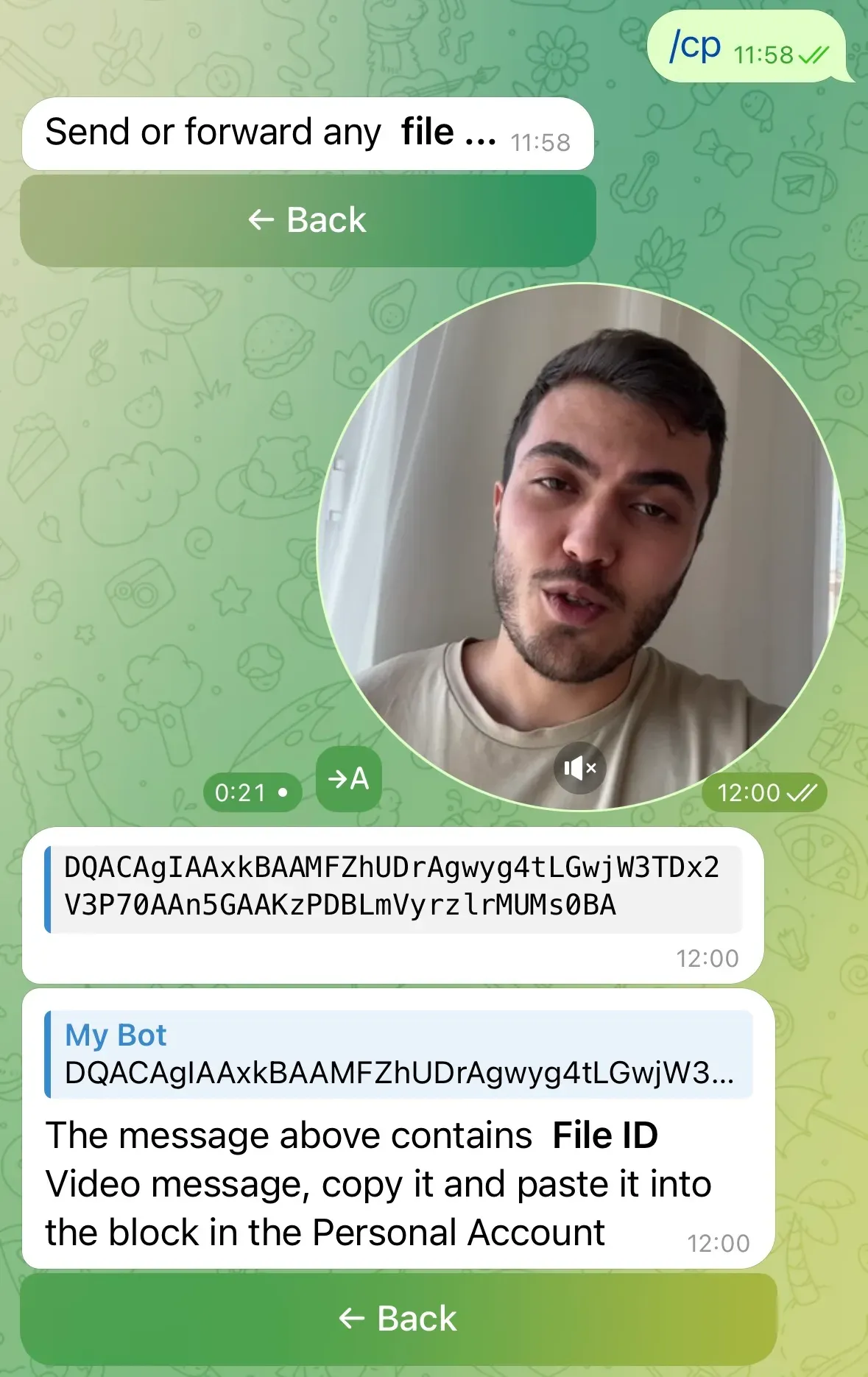
The ID we need is highlighted in green, copy it and move on to the next step.
Step two - use the received ID in the constructor
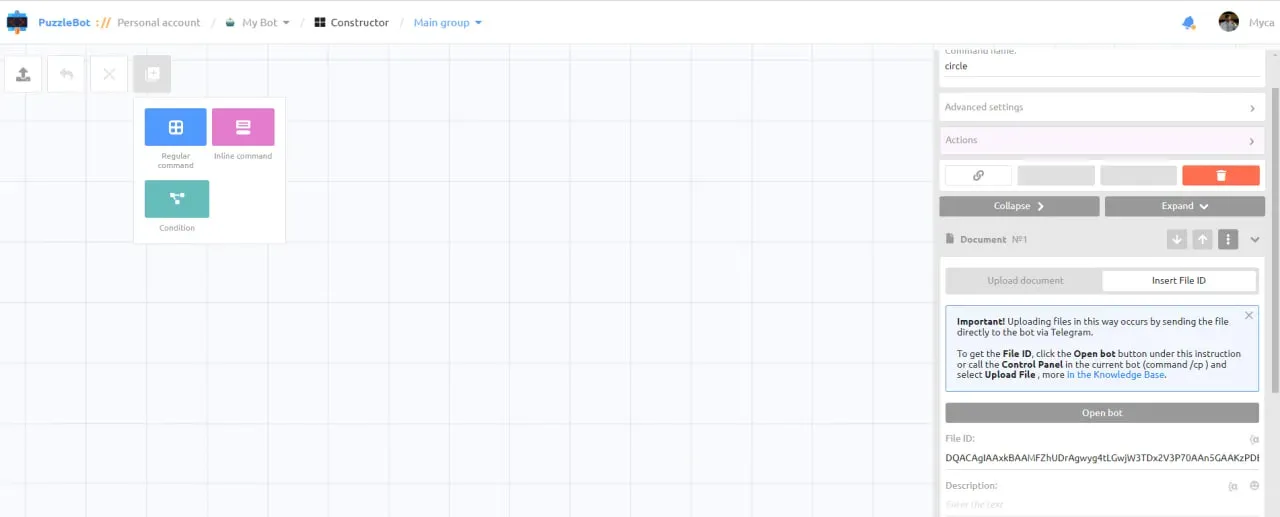
We create a regular command, use the “Document” block in it , then select “Insert file ID” and use the previously obtained ID.
Don’t forget to apply the changes in the constructor using the button after the work has been done.
Ready! You are gorgeous!
Important: if the user has a block on sending voice messages in Telegram, the bot will not be able to send a video “circle” .
👨💻 Want to ask an expert a question? Send it to @LovePuzzleBot, the most interesting ones will be analyzed.